The right musician opens the right material.
Match gig assignments to the arrangement’s current parts, lyrics, and practice material.
From your source files to each player’s part.
Charts Sync generates Score PDFs from MuseScore masters and configured parts. Chords need supported sources; Lyrics PDFs must be supplied. Missing instrumental or vocal parts are not invented.
Materials match the musician, gig role, song, and key; missing assigned parts are flagged.
Browse available parts in the Library by song and instrument, without opening source folders. Guest links keep separate access and download limits.
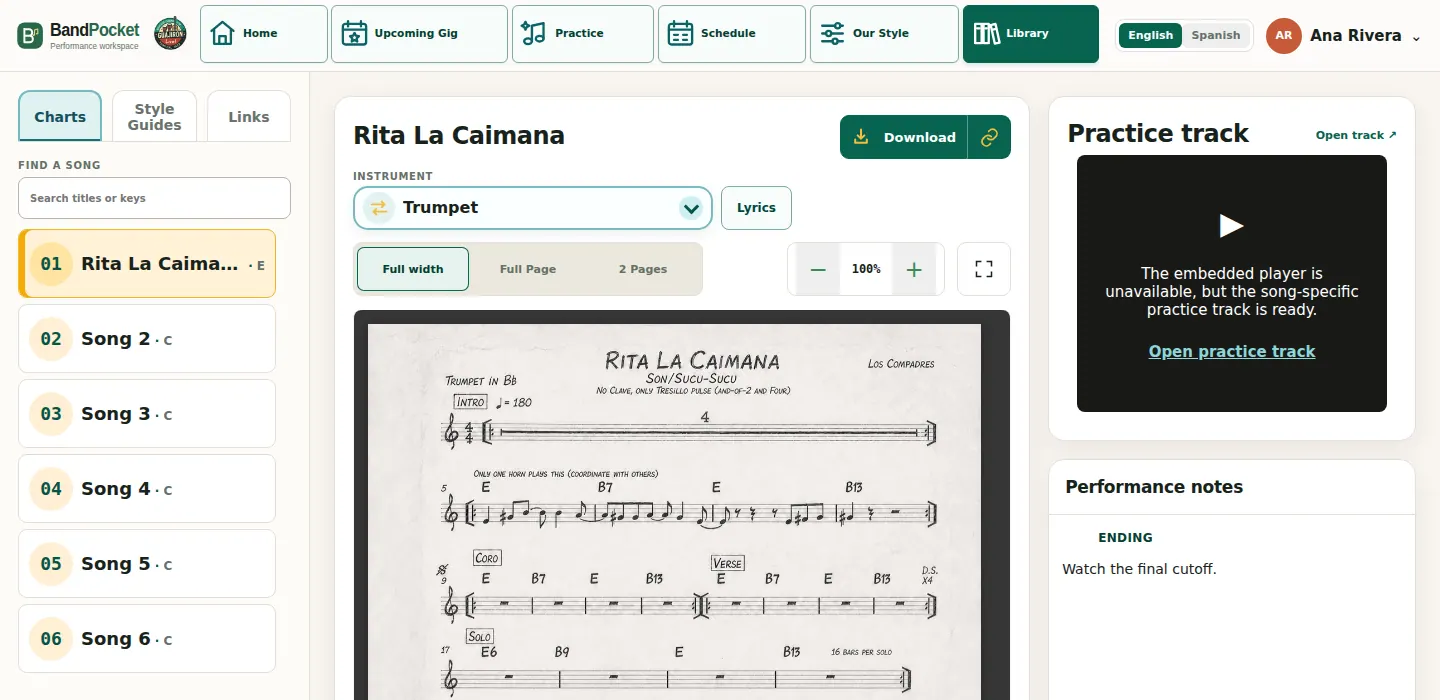
All instruments, one score.
When a full score is available, view the parts together to see how they fit.

A video to follow the arrangement.
A matching MuseScore .mscz file and audio track produce this follow-along video, shown beside charts or lyrics in Practice.
Guajirón can reuse its parts and practice media when an arrangement returns to the set.
Explore PracticePrepare. Review. Publish.
Prepare the material
START prepares source files. Stage steps separately or with Auto-run, without changing connected services.
Choose what to publish
Review the full plan. Publish chart steps first, or continue through videos and links.
Apply only the reviewed plan
Before publishing, BandPocket confirms source files and connected services are unchanged, then applies only reviewed changes. Successful publication refreshes the changed music catalog.